

Overview
Plays chain together actions to perform anything from simple automations to complex and dynamic outbound campaigns. Below are the actions you can choose from when creating a Play.Core actions
AI Agent qualification
AI Agents are powerful tools for researching companies or people and answering questions about them. In Plays, the answers provided by an Agent can be used to determine whether a company or person is qualified or not. When you select the Agent qualification action, you will be able to choose an existing Agent or create a new one. Every Agent has a set of questions that it will answer about the given record. In the action configuration panel, you can select which answers are required for the record to be considered qualified.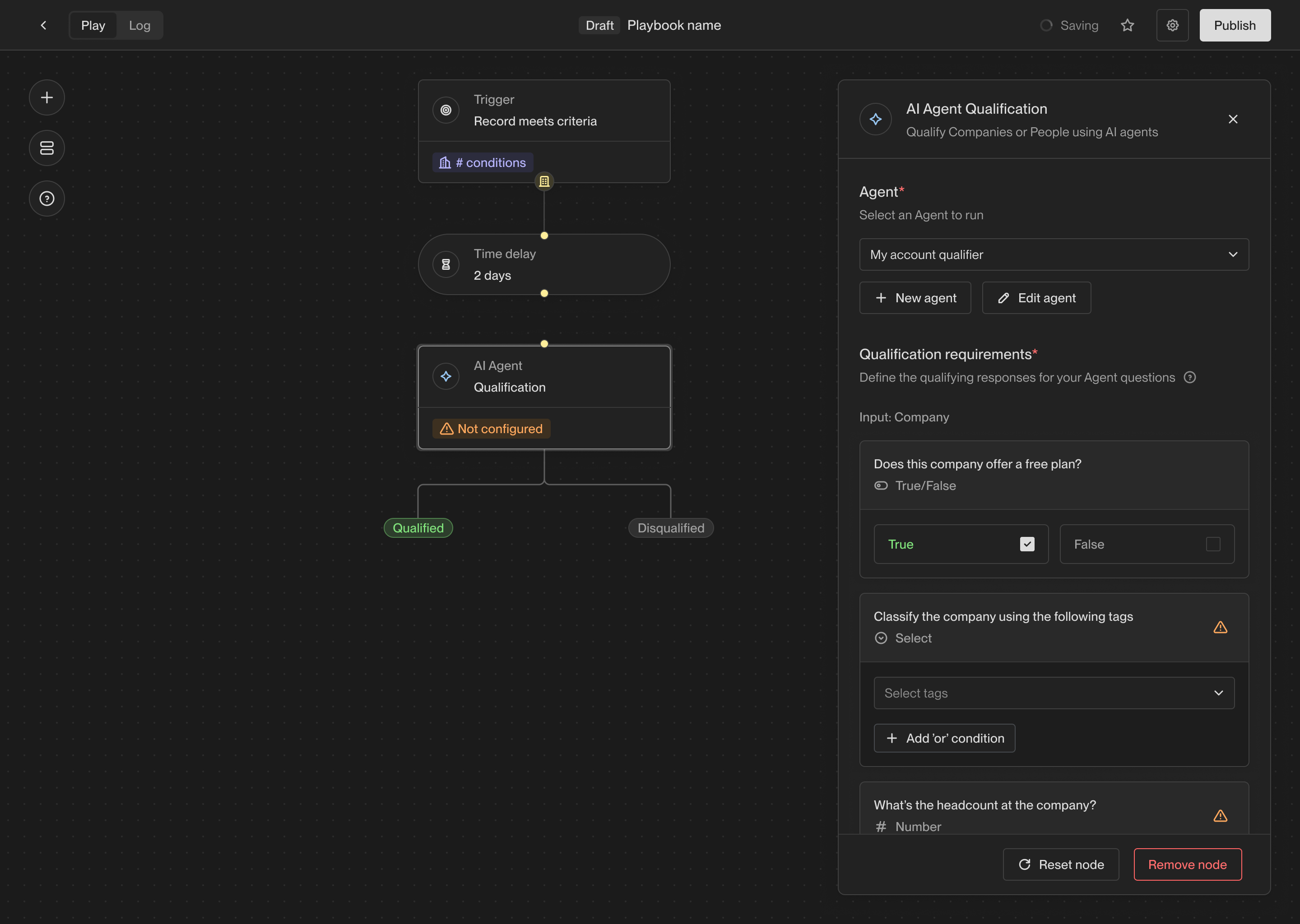
The configuration for an Agent action.
Assign owner
The owner assignment action allows you to assign a record to a specific owner in Unify. Every company and person record in Unify has an owner, and this action allows you to set or change the owner of a record.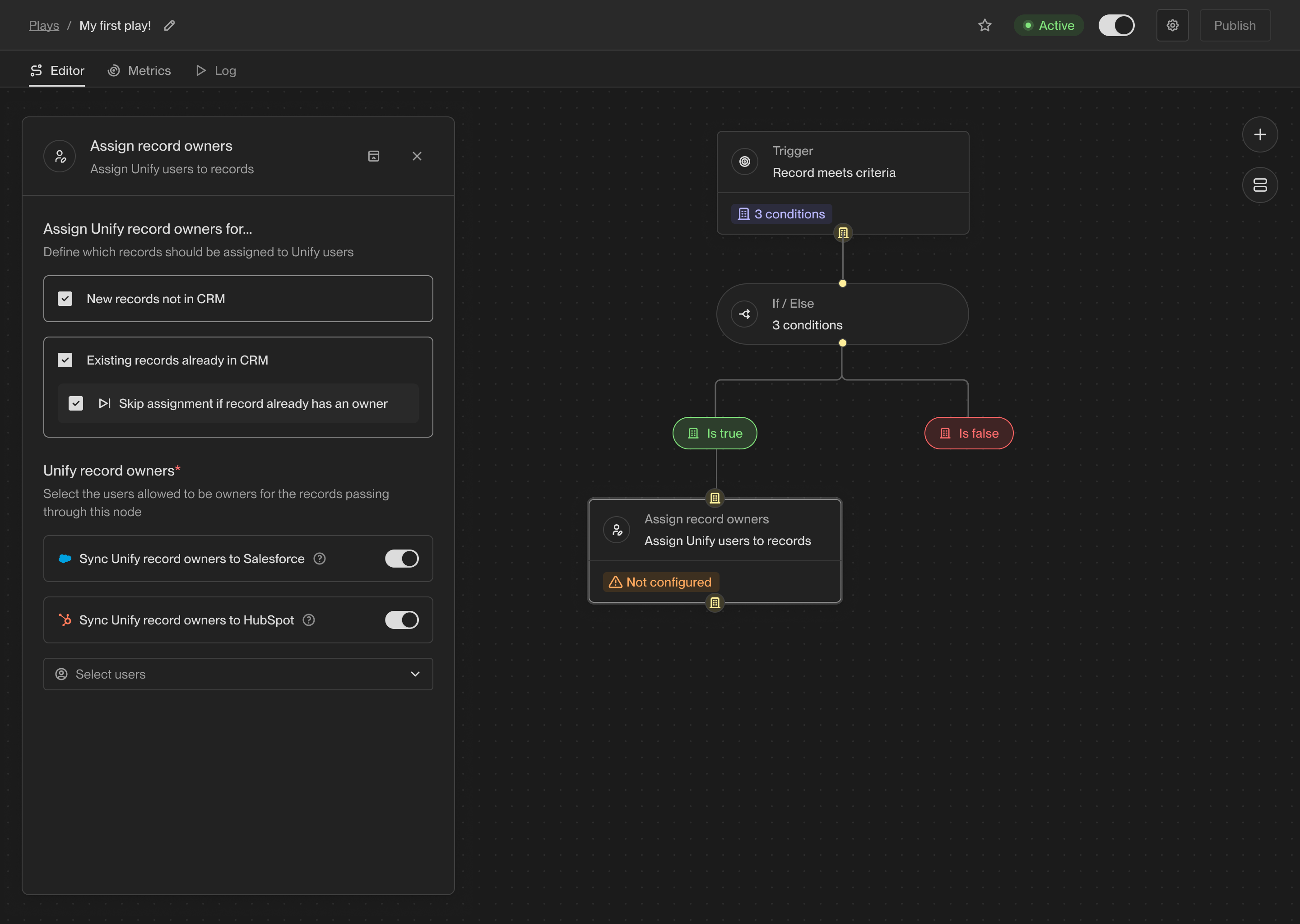
The configuration for an assign owner action.
Prospect
One of the most common use cases for Plays is to find new people to reach out to. The prospecting action takes a company record as input and returns a list of people at that company matching specific personas and criteria. When you select the prospecting action, you can specify one or more personas to search for. The personas are considered in order, so the first persona will be preferred over the second, then each subsequent persona.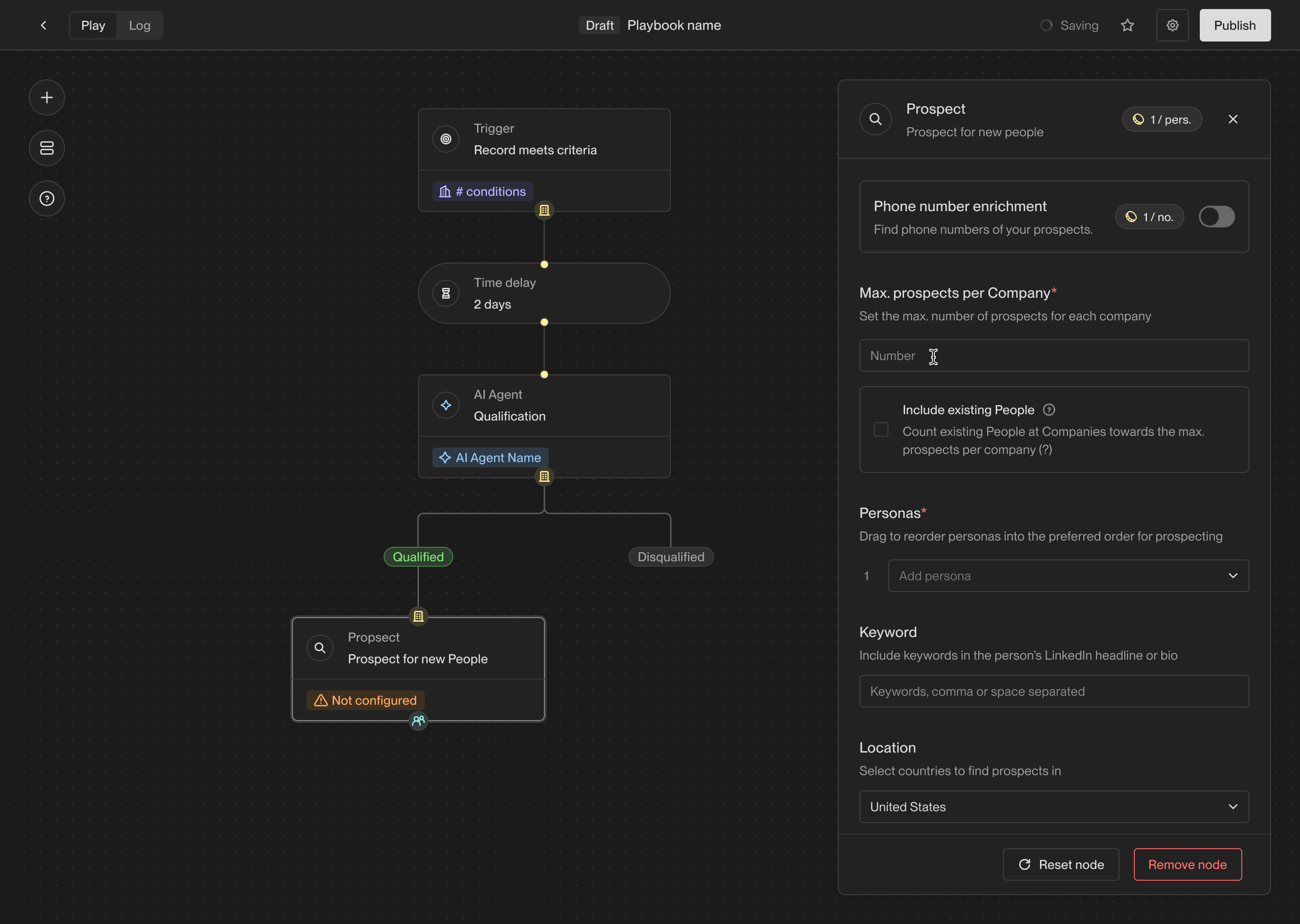
The configuration for a prospecting action.
Prospecting methods
The prospecting method determines whether Unify should use people that already exist in Unify or your CRM, pull fresh contact data, or do both.
Unify prospecting uses 2 credits per person. If credits are exhausted, the
action cannot find net-new people. If Prioritize existing records is
selected, the action can still return matching existing people.
Persona order and filters
Personas are matched in the order shown in the action. Drag personas to set the preferred order. You can select up to five personas in one Prospect action. Optional filters refine the search:- Phone enrichment attempts to enrich phone numbers for returned people.
- Keywords search information associated with prospects and rank matching prospects higher.
- Countries only return people located in selected countries.
Sequence
The sequence action enrolls people in a published template sequence. Use it to turn a play’s qualification or prospecting results into scheduled outreach. Each route selects a sequence and a sending mailbox for the people who reach the action. Publish the sequence and connect a sending mailbox before configuring the route. Review the sequence’s ruleset and send schedule to set who can enroll and when emails can send. For per-person content generated with AI, use the agentic enrollment flow.Configure routing
Open the sequence action, then click Add persona routing. For a configured action, click Edit persona routing. Choose the mailbox routing method and the sequence for each route, then click Done. To send everyone to one sequence, configure the Everyone route. Add persona routes when different job functions need different messaging.Persona routing
Unify compares the person’s title with the configured personas in order. The first match determines their route. Enable Route all personas together when all listed personas should use the same sequence and mailboxes. If an earlier prospecting action uses personas that are missing from the routes, Add prospect personas adds them for you to configure. The Everyone else route handles people who do not match a persona. Leave it set to No action to skip those people.Mailbox routing
Choose how Unify selects the sending mailbox:
Owner-based routing also requires fallback mailboxes. Unify uses them when the
record has no owner or the owner has no eligible mailbox.
A mailbox must be assigned to an active user and unpaused.
Unify-managed mailboxes must also be warm. See
mailbox operations if an expected
mailbox is unavailable.
The sequence’s task assignment settings
determine who receives tasks. For example, you can assign tasks from automatic
enrollments to the sending mailbox’s owner or a specific teammate.
Enrollment limits and skips
Set Max. enrollments per company to limit simultaneous outreach at a company. The count includes active enrollments throughout the workspace, including those added manually or by other plays. When the limit is reached, the action skips additional people at that company. A person may also be skipped because:- No route matches, or the route has no eligible mailbox.
- The selected sequence has no published version or has been deleted.
- Simultaneous enrollment or re-enrollment settings prevent enrollment.
- The person opted out, is marked do not email, or matches an applicable exclusion or engagement restriction.
Slack alert
The Slack alert action allows you to send a customized Slack message at any point in a Play. You can send messages to any public channels or DM any users in your workspace.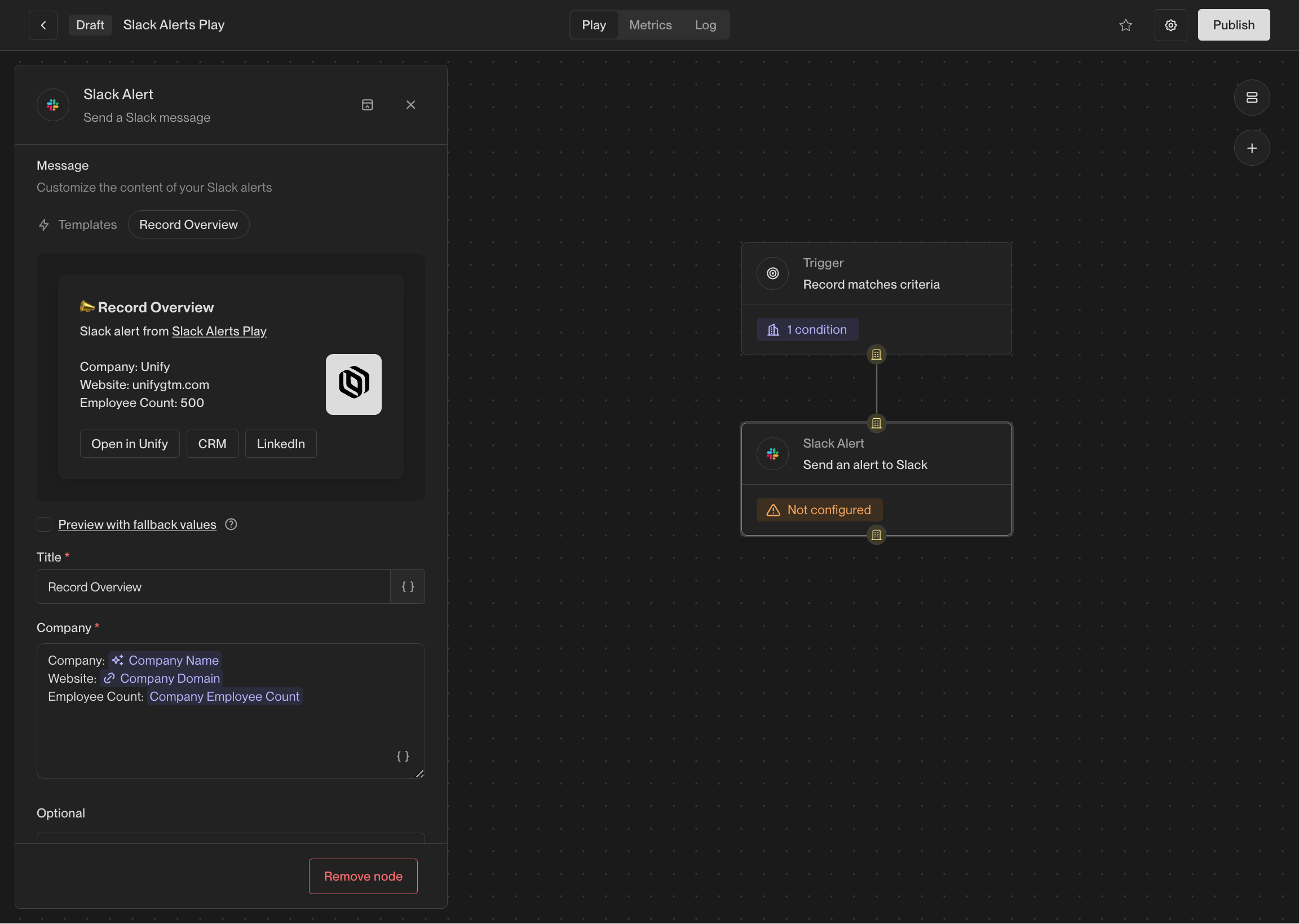
The configuration for a Slack alert action.
If the value for a template variable is missing, the message will still be sent,
but the variable will be replaced with
Unknown.@John Doe), so they can
be easily notified of the alert. You can also include intent signal information
containing recent website visitors, G2 page views, and more.
This action is available when Slack connected to Unify. See the Slack integration guide
for information on integrating Slack with Unify.
Sync to HubSpot
This action creates or updates HubSpot records for the companies or people reaching the node. It uses your workspace HubSpot connection and saved field mappings. Bidirectional syncs must be enabled. The play determines when this action runs, independently of the integration’s automatic sync rules. Open Advanced to set default field values for this action. These fill empty CRM fields when a mapped Unify value is missing and take precedence over defaults in integration settings. For example, a description of “Qualified in Unify” can label records synced by this play when no description is otherwise available. Review the write and its connection in the integration’s Sync log.Sync to Salesforce
This action creates or updates Salesforce records for the companies or people reaching the node. It uses your workspace Salesforce connection and saved field mappings. Bidirectional syncs must be enabled. The play determines when this action runs, independently of the integration’s automatic sync rules. Open Advanced to set default field values for this action. These fill empty CRM fields when a mapped Unify value is missing and take precedence over defaults in integration settings. For example, a description of “Qualified in Unify” can label records synced by this play when no description is otherwise available. Review the write and its connection in the integration’s Sync log.Webhook
The webhook action allows you to send an HTTP request to any URL with configurable options and a custom payload. This can be used to integrate with any tool that accepts webhooks, such as Zapier, n8n, or internal tooling. Here are the available configuration options: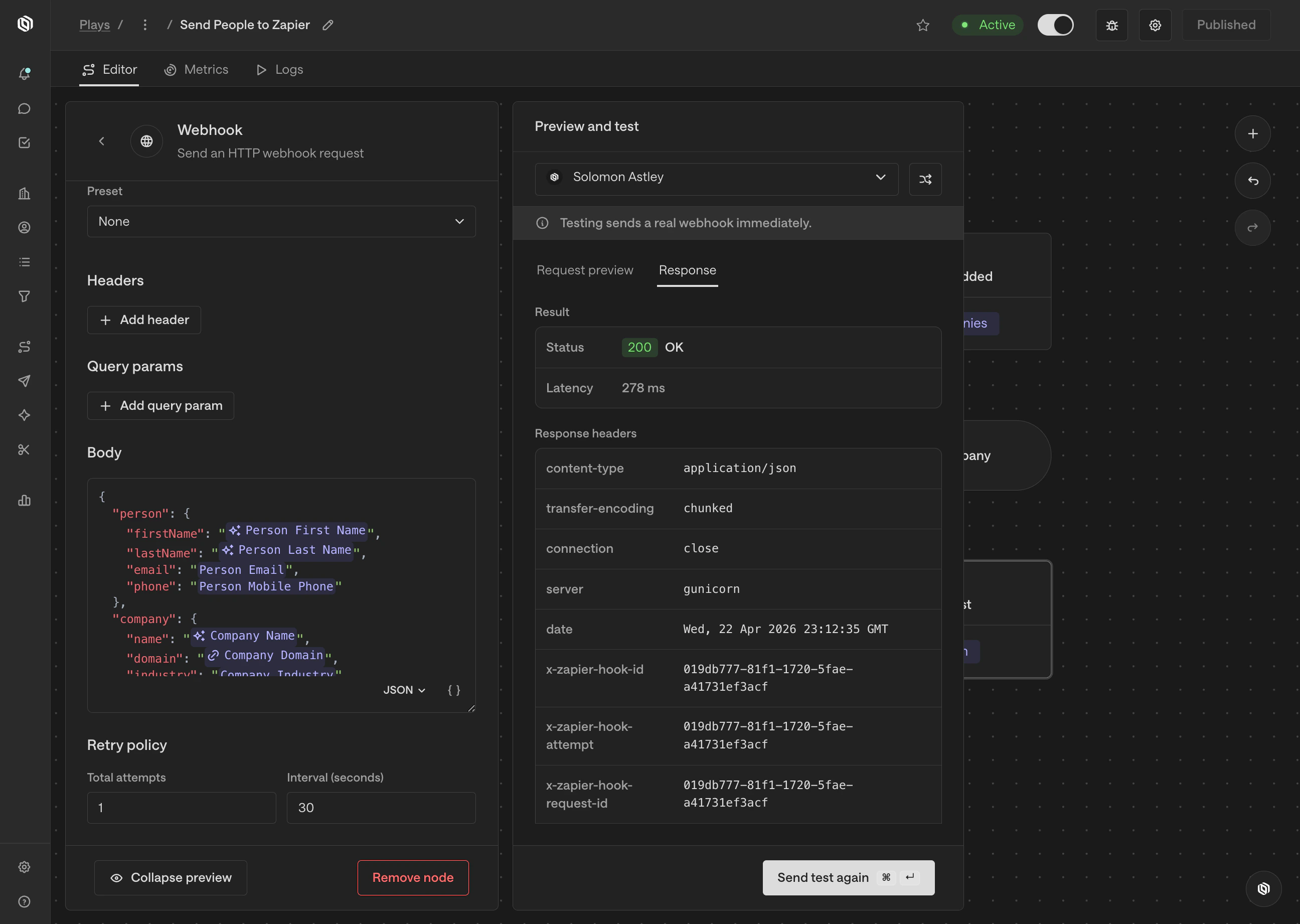
The configuration and testing panes for a webhook action.
Utility actions
A/B test
The A/B test action allows you to route records down a specific path based on a set probability. This is useful for testing different sequences or actions.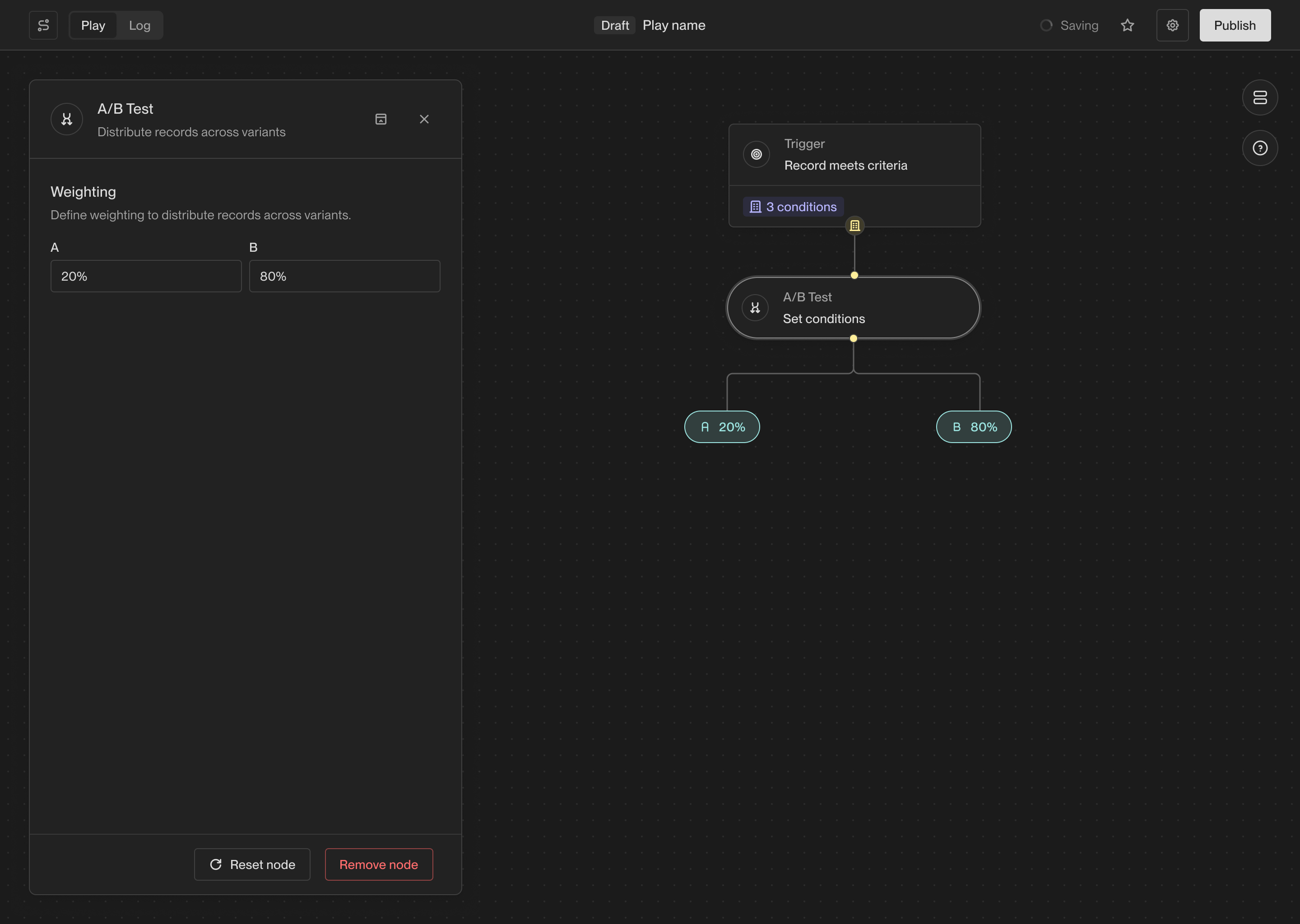
The branch created by an A/B test action in a Play.
Delay
The Delay action waits for a specified amount of time before continuing to the next action in a Play. This can be useful for spacing out actions in a Play and ensuring that actions are performed at the right time.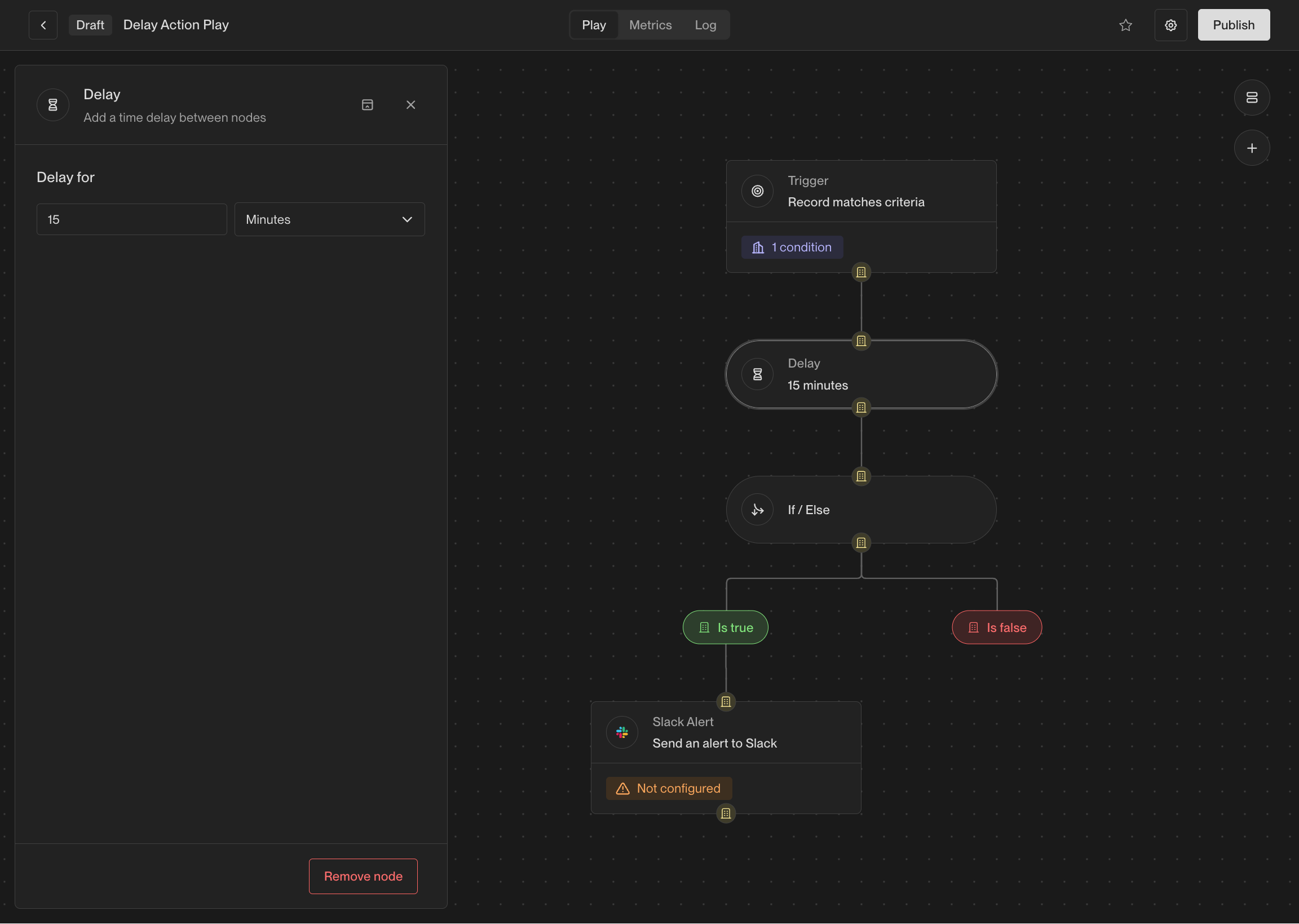
You can customize the amount of time to wait before the next action.
Get Company
If you have a person record, you can use this action to fetch the company that the person works at. If the person does not have a company associated with them, this action will not return any result.Get People
If you have a company record, you can use this action to fetch people that work at the company. Unlike the Prospect for new People action, this action only looks for people that already exist in Unify rather than prospecting for new people.If / Else
The if-else action creates a branch in a Play, evaluates some conditions for records, and sends them down a specific path based on the result. This allows you to perform different actions on different records based on criteria that you specify.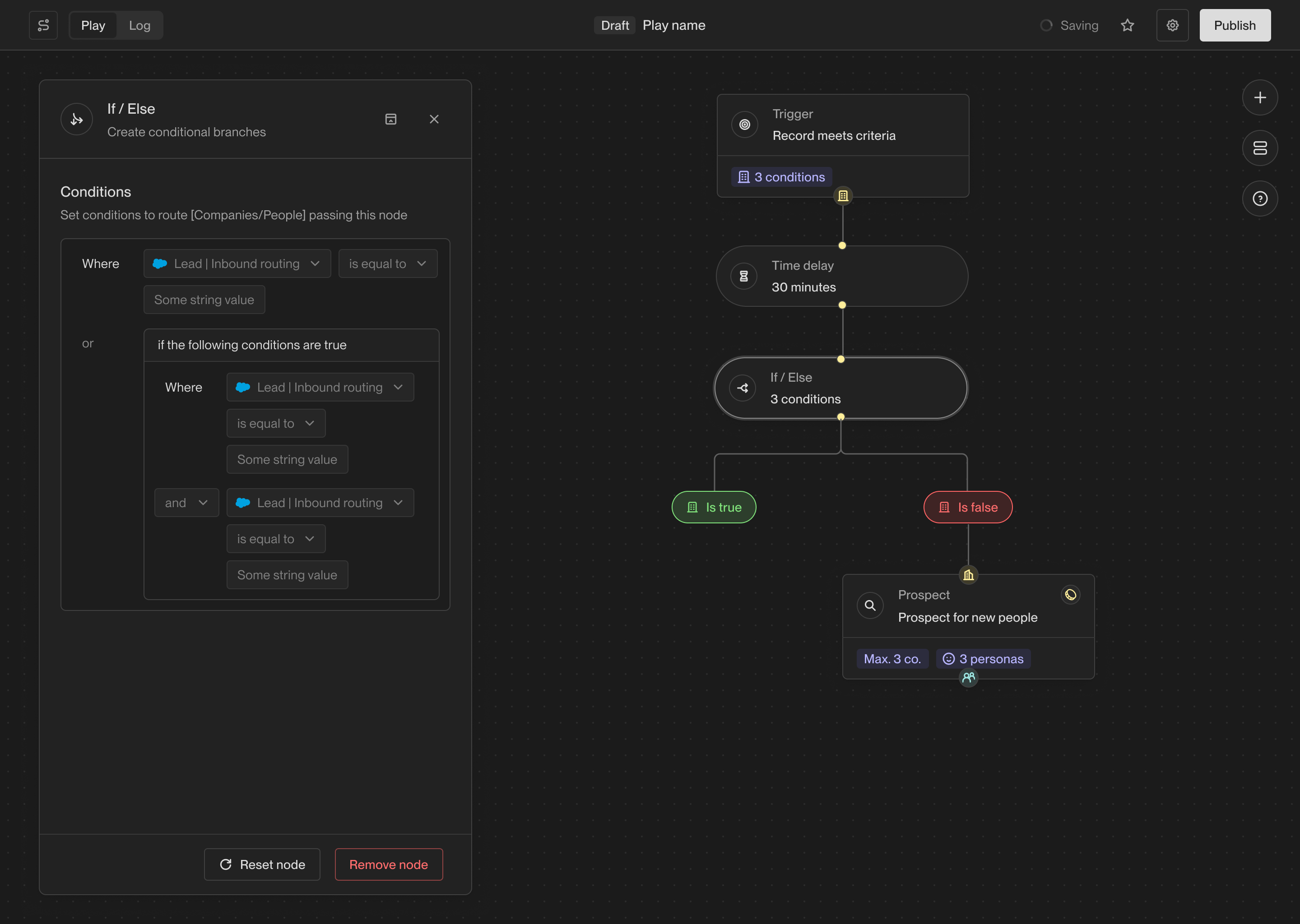
The branch created by an if-else action in a Play.